Creating a home office that is both comfortable and productive is essential for anyone working remotely or spending significant time on personal projects. A well-designed workspace can improve focus, reduce stress, and enhance overall performance. In this guide, we’ll explore practical tips to help you set up a home office that works for you.
Choosing the Right Location
Find a Quiet Spot
Select a part of your home that is as quiet as possible. Avoid high-traffic areas where distractions are frequent. A spare room, a corner in the bedroom, or a section of the living room with minimal footfall can be ideal.
Consider Natural Light
Position your desk near a window to benefit from natural light. Exposure to daylight can boost mood and energy levels, though be mindful of glare on your screens. If natural light is limited, invest in good-quality lighting.
Furniture for Comfort and Efficiency
Invest in a Good Chair
An ergonomic chair is one of the most important purchases for your home office. Look for adjustable height, lumbar support, and comfortable cushioning to maintain good posture throughout the day.
Desk Matters
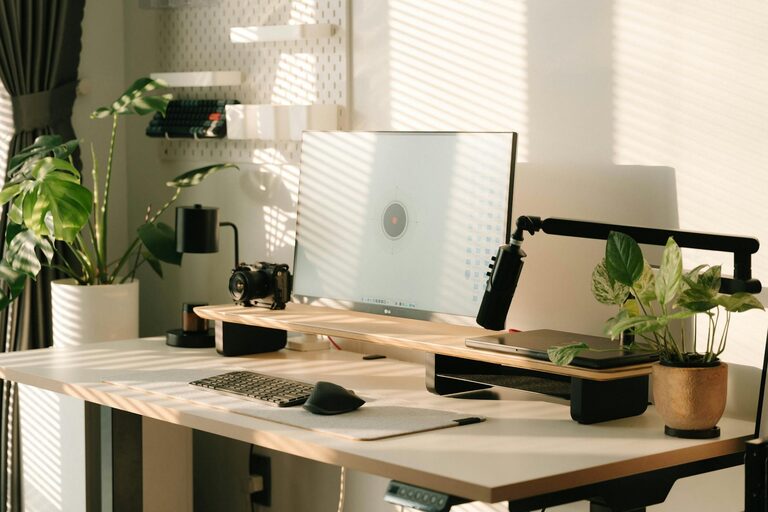
Choose a desk that suits your work style. It should be spacious enough to accommodate your computer, documents, and any other tools you need without clutter. Adjustable desks that allow switching between sitting and standing are also worth considering.
Organise with Storage
Good storage helps keep your workspace tidy. Use shelves, drawers, or filing cabinets to store documents and supplies. Declutter regularly to maintain a calming environment.
Set Up Your Technology Thoughtfully
Reliable Equipment
Ensure you have a dependable computer, high-speed internet connection, and any necessary accessories such as printers or external monitors. Avoid working with slow or outdated technology to prevent frustration.
Cable Management
Keep cables organised and out of sight using clips, covers, or cable trays. A neat setup reduces distractions and minimises accidents.
Screen Positioning
Position your monitor so that the top of the screen is at eye level. This helps reduce neck strain and keeps your posture natural.
Create a Personalised and Motivating Environment
Add Plant Life
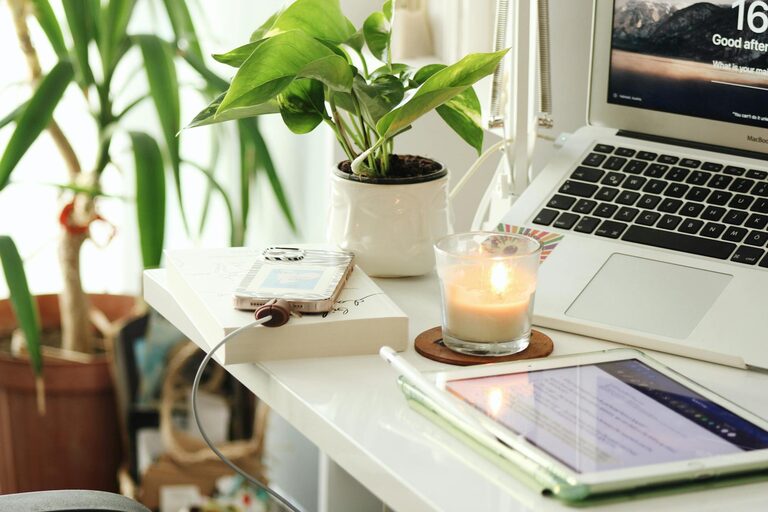
Incorporate plants to freshen the air and add a sense of calm. Even small, low-maintenance plants on your desk can have a positive impact.
Personal Touches
Include a few personal items such as photos, artwork, or meaningful objects. These make your space inviting without overcrowding it.
Maintain a Neutral Colour Scheme
Choose soothing colours like light blues, greens, or neutrals. A pleasing palette can improve concentration and reduce stress.
Establish Daily Routines and Boundaries
Define Your Working Hours
Set clear start and finish times to maintain work-life balance. Use alarms or calendar reminders if needed.
Take Scheduled Breaks
Regular breaks refresh your mind and body. Consider techniques like the Pomodoro method—working for 25 minutes, then resting for five.
Minimise Distractions
Inform household members of your working hours and ask for quiet during these times. Use noise-cancelling headphones if noise is unavoidable.
Prioritise Health and Wellbeing
Stay Active
Incorporate movement into your day. Stretching, short walks, or desk exercises can prevent stiffness and improve circulation.
Hydrate and Eat Well
Keep water nearby and have healthy snacks accessible. Proper nutrition supports sustained energy and focus.
Adjust Room Temperature and Ventilation
Ensure your workspace is neither too hot nor too cold. Good air flow is important for comfort and alertness.
Optimise Lighting for Comfort and Productivity
Use Layered Lighting
Combine ambient lighting with task lighting. A desk lamp focused on your work area helps reduce eye strain.
Reduce Glare and Shadows
Position lights and screens carefully to avoid glare. Consider window blinds or curtains to control sunlight.
Keep Your Workspace Organised
Daily Tidying Habit
Spend a few minutes at the end of each day organising your desk. This helps you start fresh the next morning.
Use Organisers and Trays
Desk organisers for pens, papers, and accessories keep essential items within reach and neatly contained.
Digitise Documents
Minimise paper clutter by scanning important documents and storing them electronically where possible.
Conclusion
Designing a comfortable and productive home office involves thoughtful planning and attention to detail. By selecting a suitable location, investing in ergonomic furniture, organising your technology and environment, and establishing routines, you can create a workspace that supports your best work. Remember to prioritise your wellbeing to maintain a healthy and sustainable balance while working from home. With these tips, your home office can become a place you look forward to spending time in each day.
About the Author